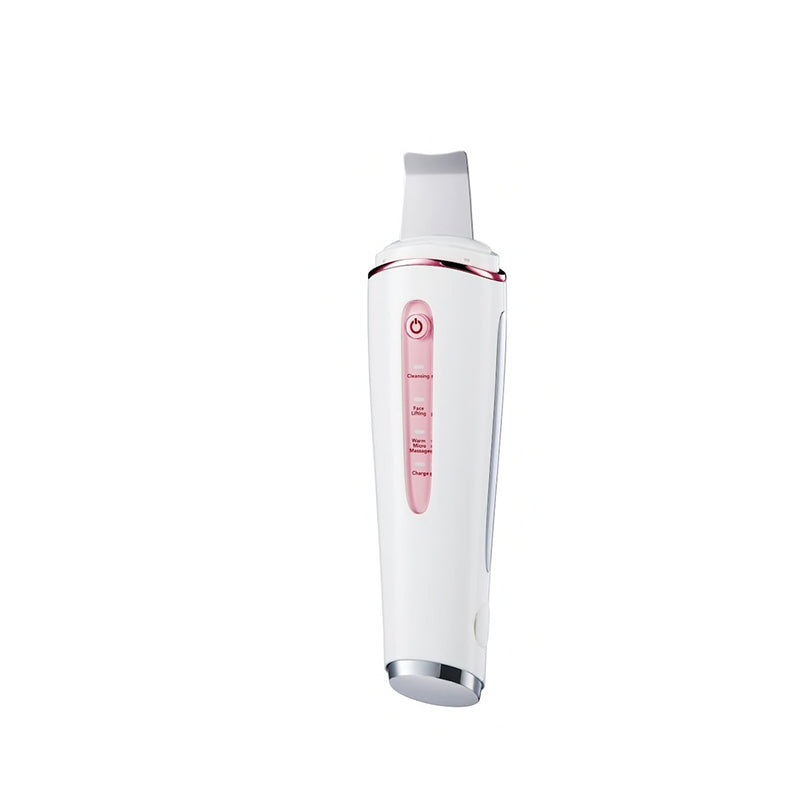
Ultrasonic exfoliation, ion export for deep cleaning impurities from pores, tighten skin, promote blood circulation
30,000 RPM: Ultrasonic vibration for deep cleaning, exfoliate skin, remove blackheads, acne and pimples from pores
Ion Export: Thoroughly removes skin impurities from pores
EMS Massage: lifting and tightening sagging skin, it helps to stimulate facial muscle movements, improves the skin’s firmness
Heat regulated vibrating massage: unclog congested pores, promote blood circulation, increase the absorption of skin care products.
Power Switch:
1. Press & hold the button for 3 seconds to turn ON.
2. Slightly press the button, switching between 3 different modes.
3. Press for 3 seconds to turn OFF when the power is on.
Ultrasonic Cleansing + Ionic Derive Mode
Use on wet face. Hold the electroplating parts and slightly massage the face from the top to the bottom. The Massager makes over 30,000 ultrasonic vibrations per minutes. With the high frequency of vibration may remove the dead cell, and turn your skin smooth and stay young.
Face Firming Function
Hold the massager with one hand while using, make sure the sliver plating is completely contact with the skin, as poor connection may cause electric shock or failure on EMS function. By making the biological current similar to the nerve conduction, stimulate and enhance the shrinkage of muscular cells in the dermal layers, result in face lifting and firming.
Warm vibration Massage
Apply lotion, serum or cream that you would normally use over your entire face. Slightly massage the face with the warm vibration mode , helping your pores dilate and soothing facial muscles. It makes skin to absorb effectively after applying skin care products.
Charging the device
1. When in low battery status, the white charging indicator will quickly flash 10 times, and then the machine will automatically shut off.
2. Plug the Micro USB end of the cable into the Micro USB port of the device.
3. Plug the USB end of the cable into the port of adaptor, whose output current need to be equal to or less than 1A.
4. White indicator flashes when charging.
5. White indicator keeps on after charging is finished.
6. Charging protection: the device is not functional when charging.
Reviews
There are no reviews yet.